

GoHighLevel (HighLevel) funnels are built to sell, book calls, and onboard leads, but most pages convert better when they have video. That could be a simple welcome video, a VSL, a webinar replay, a product demo, a testimonial montage, a training lesson, or even a quick Loom-style walkthrough.
In this guide, you’ll learn how to embed video in GoHighLevel by adding a video element and pasting a custom embed code. This works whether you’re trying to add video in GoHighLevel funnels, landing pages, and membership pages, or you just want a clean player that looks good on mobile.
We’ll use VdoCipher as the video host in this tutorial. It’s great for video embeds, and it also gives you extra controls if you ever need them (like DRM, access restriction, dynamic watermarking, and Hacker Identification).
Step-by-step: Embed video in GoHighLevel using VdoCipher
1. Copy the Embed Code From VdoCipher
Step 1: Login or sign up in VdoCipher dashboard
 Go to the VdoCipher dashboard and log in. If you’re new, create an account.
Step 2: Upload the video you want to embed
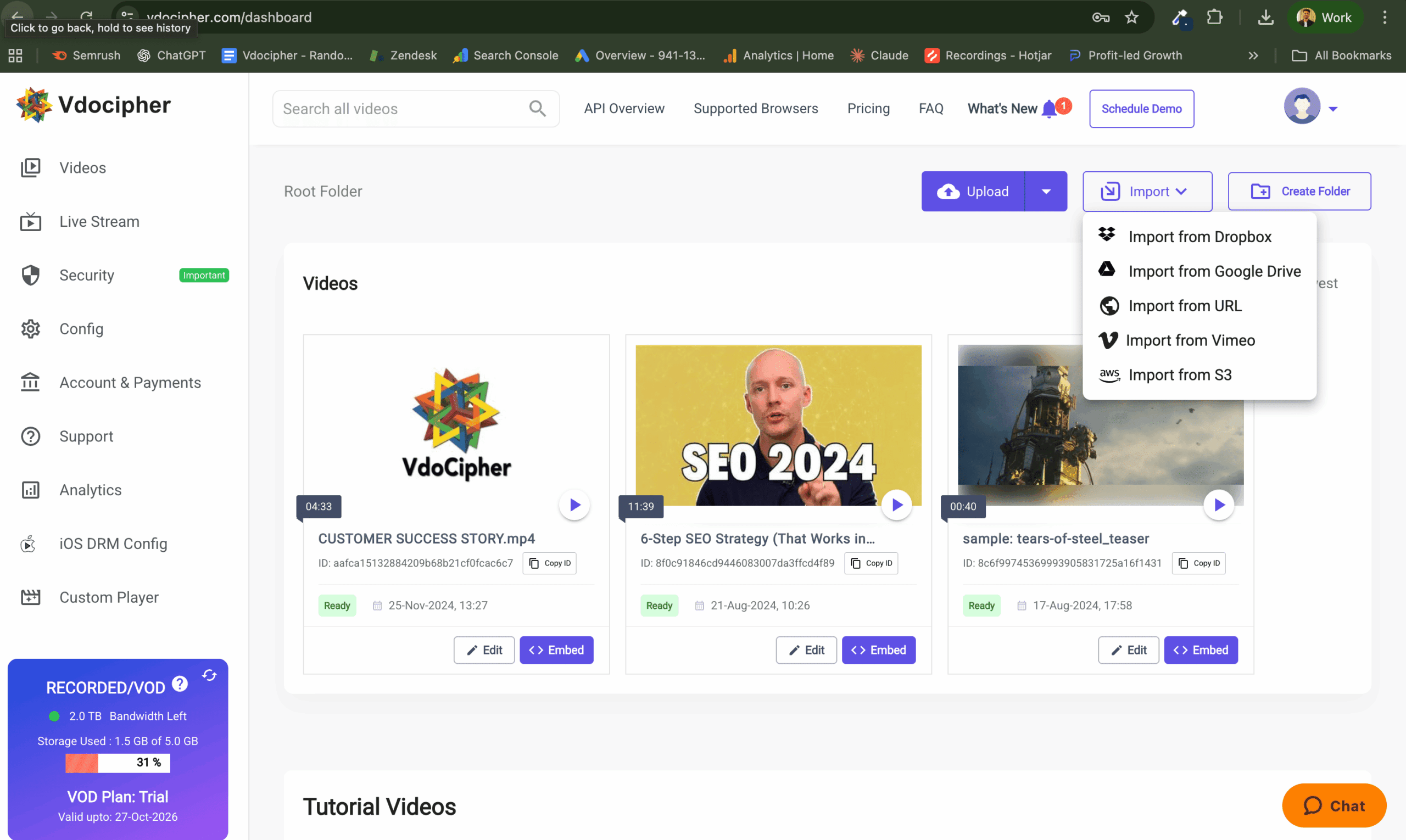 Upload your video from your computer. Once uploaded, VdoCipher will process it and encrypt it with DRM and security features.
Step 3: Generate and copy the embed code
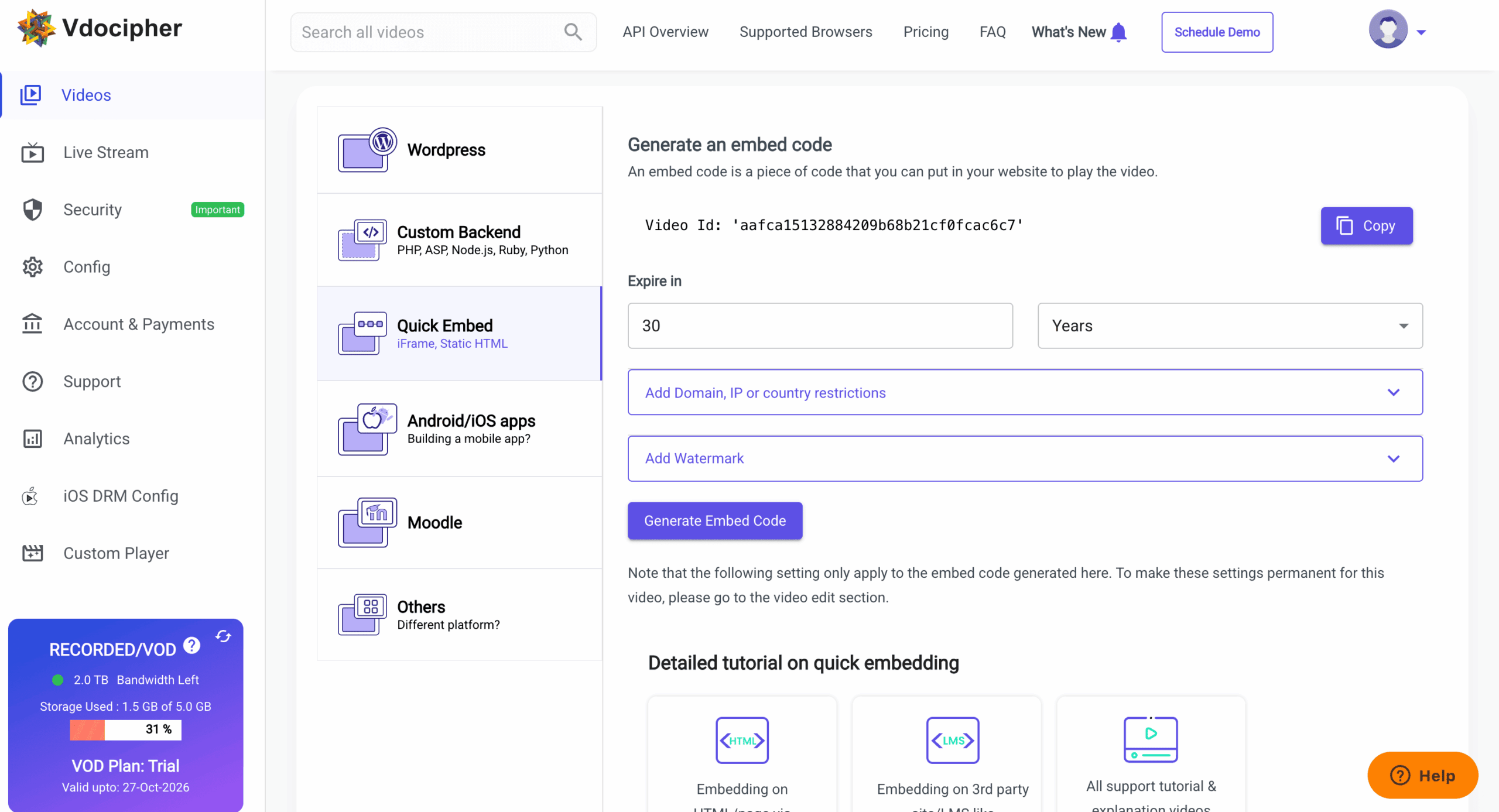 Navigate to the uploaded video then click “Embed”<“Quick Embed”<“Generate Embed Code”<“Copy”.
2. Embed the video inside HighLevel
Step 4: Visit HighLevel admin dashboard
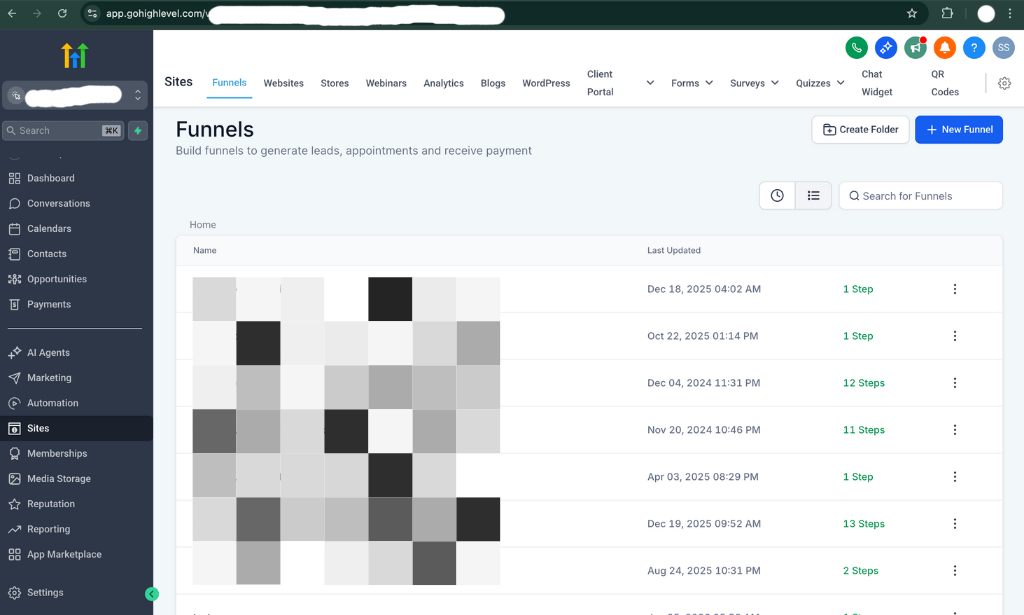
Navitage to Sites → Funnels → Select your funnel → Edit
(If you’re using Websites instead of Funnels, the steps are basically the same inside the page editor.)
Step 5: Add the “Video” element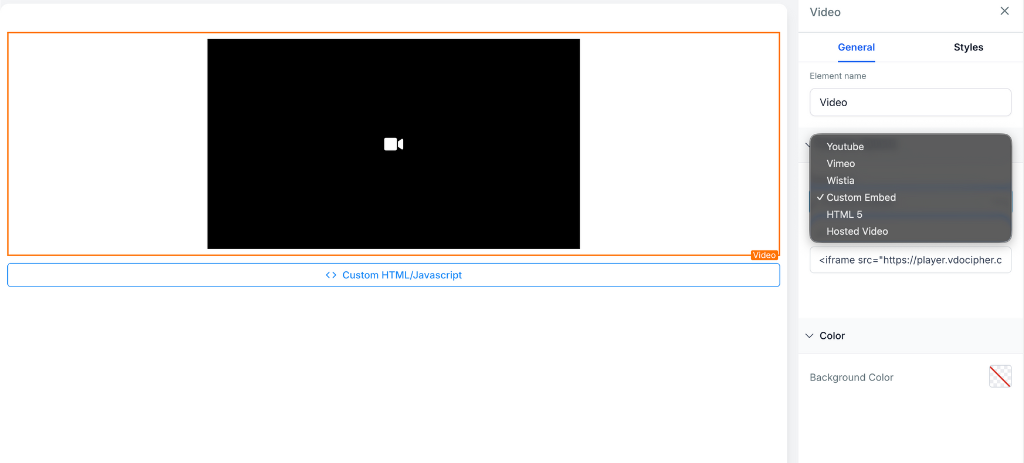
In the page builder:
- Click Add Element
- Drag and drop Video where you want it
Step 6: Paste the Embed Code
Click the video element, then choose Custom Embed in element options and Paste the embed code.
Need help? 💬
Reach out to our support team via chat, and our team will do their best to resolve any questions you have.
How people download GoHighLevel course videos (and what it costs)
GoHighLevel course creators and agency owners are losing thousands of dollars to video piracy.
Here’s the harsh reality:
- Anyone can easily download a GoHighLevel course video using free browser extensions within a couple of minutes.
- Thousands of courses: Number of GoHighLevel-hosted courses currently available on torrent sites
- $10,000 – $50,000+: Average revenue loss per course from piracy
- 24-48 hours: How quickly pirated courses appear on illegal sharing sites after launch
Common GoHighLevel Video downloading Methods
Browser Extensions:
- Video DownloadHelper (2+ million users)
- Video Downloader Professional
- IDM (Internet Download Manager)
These tools extract the direct video file URL from GoHighLevel’s player and download your entire course in minutes.
Developer Console:
- Right-click → Inspect Element
- Find the video source URL in Network tab
- Copy and download the MP4 file directly
Screen Recording Software:
- OBS Studio (free and widely used)
- Camtasia
- Snagit
- Built-in screen recorders on Windows and Mac
Hardware Capture:
- HDMI capture cards record videos bypassing all software protection
- Mobile screen recording apps capture content effortlessly
The Revenue Impact
When your $997 course gets pirated:
- Lost revenue from students who download instead of purchase
- Decreased perceived value of your course
- Competitor access to your proprietary methodologies
- Inability to enforce your intellectual property rights
- Zero recourse to stop the spread
The solution? Integrate VdoCipher’s DRM encryption with your GoHighLevel funnels, courses, and membership sites.
FAQs
Can I embed video in a GoHighlevel (HighLevel) funnel?
Yes. Add a Video element, select Custom Embed, and paste the VdoCipher iframe code.
How to embed video in Gohighlevel (Highlevel) websites?
Open your HighLevel Website, click Edit on the page, add a Video element, select Custom Embed, then paste the VdoCipher iframe code.
Can videos be downloaded from GoHighLevel?
Yes, videos uploaded directly to GoHighLevel's hosted video player can be easily downloaded using free browser extensions like Video DownloadHelper. This is why course creators should use external video hosting with DRM protection like VdoCipher to prevent unauthorized downloads and course piracy.
How do I add a watermark to my GoHighLevel course videos?
Enable dynamic watermarking in VdoCipher dashboard under Settings → Security. Configure the watermark text (student email, user ID, etc.), appearance, and movement settings. Then generate embed code and paste it in GHL.
Not using VdoCipher yet? Use it free for 30 days
Use VdoCipher with all premium features for free, no credit card needed.


Leading Growth at VdoCipher. I love building connections that help businesses grow and protect their revenue. Outside of work, I’m always exploring new technology and startups.
Leave a Reply