
If you sell a course using Cademi and want to embed video in Cademi with real piracy protection, custom player, and dynamic watermarking, use VdoCipher video hosting. This guide covers the exact steps by step process to embed video in Cademi.
Cademi is one of the most popular membership platforms (hub de membros) in Brazil for selling courses and digital products. But Cademi is a members area, not a video host. You bring your own video hosting and embed it into each lesson. Most creators reach for YouTube or Vimeo by default, and videos from both platform can be downloaded easily with common browser tools. For a paid course, that is a problem.
Table of Contents
Video Tutorial
Watch the walkthrough below. It covers step by step process to embed video in Cademi and video hosting guide.
Step-by-Step: Embed VdoCipher Video in Cademi Using VdoCipher
The whole process takes under ten minutes. Here is every step.
Step 1: Set up a VdoCipher account
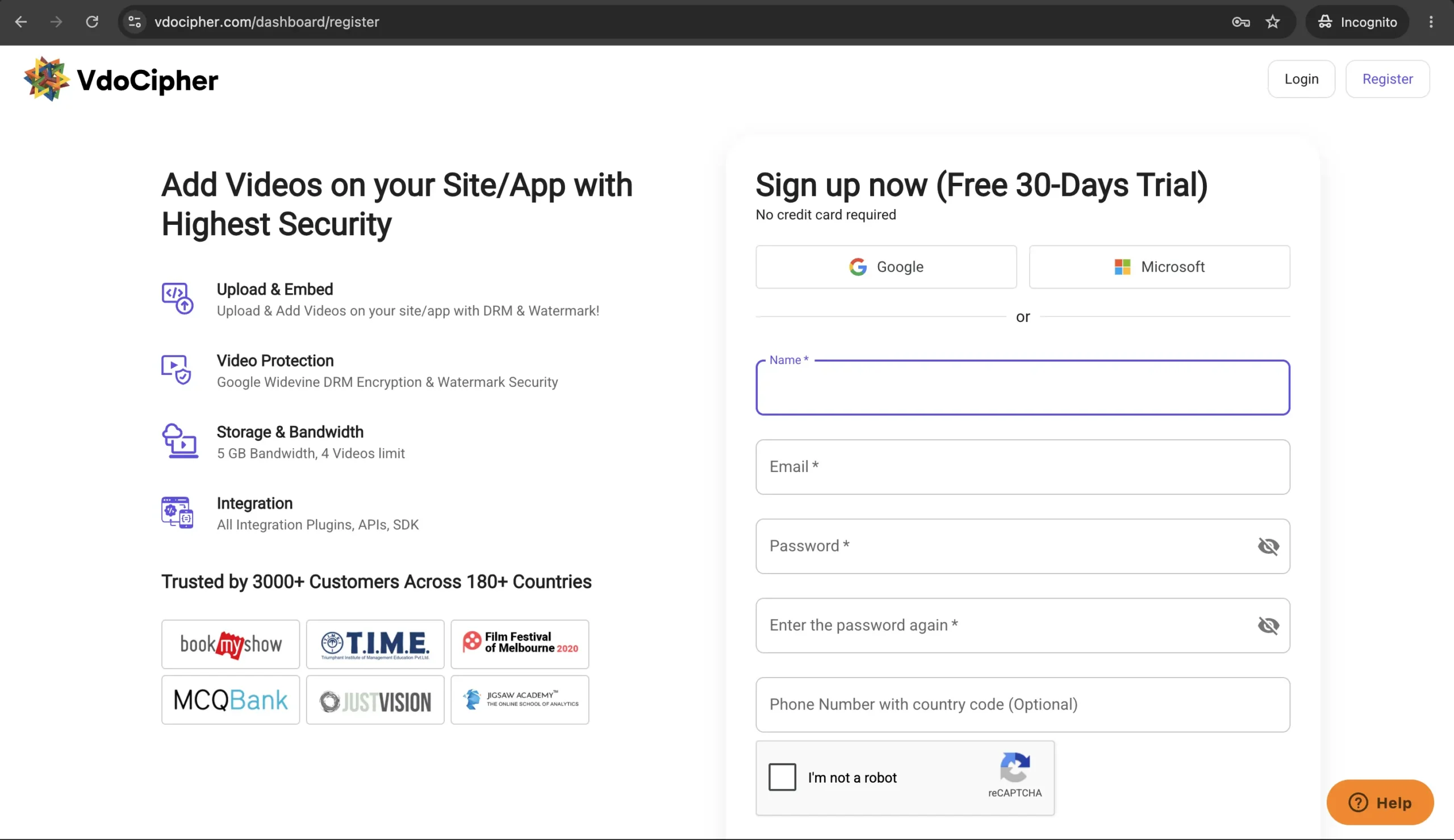
Go to vdocipher.com and sign up. No credit card is required. The free trial gives you full access to the premium features: DRM encryption, custom player, dynamic watermarking, advanced analytics, and the piracy tracker.
Step 2: Upload your video
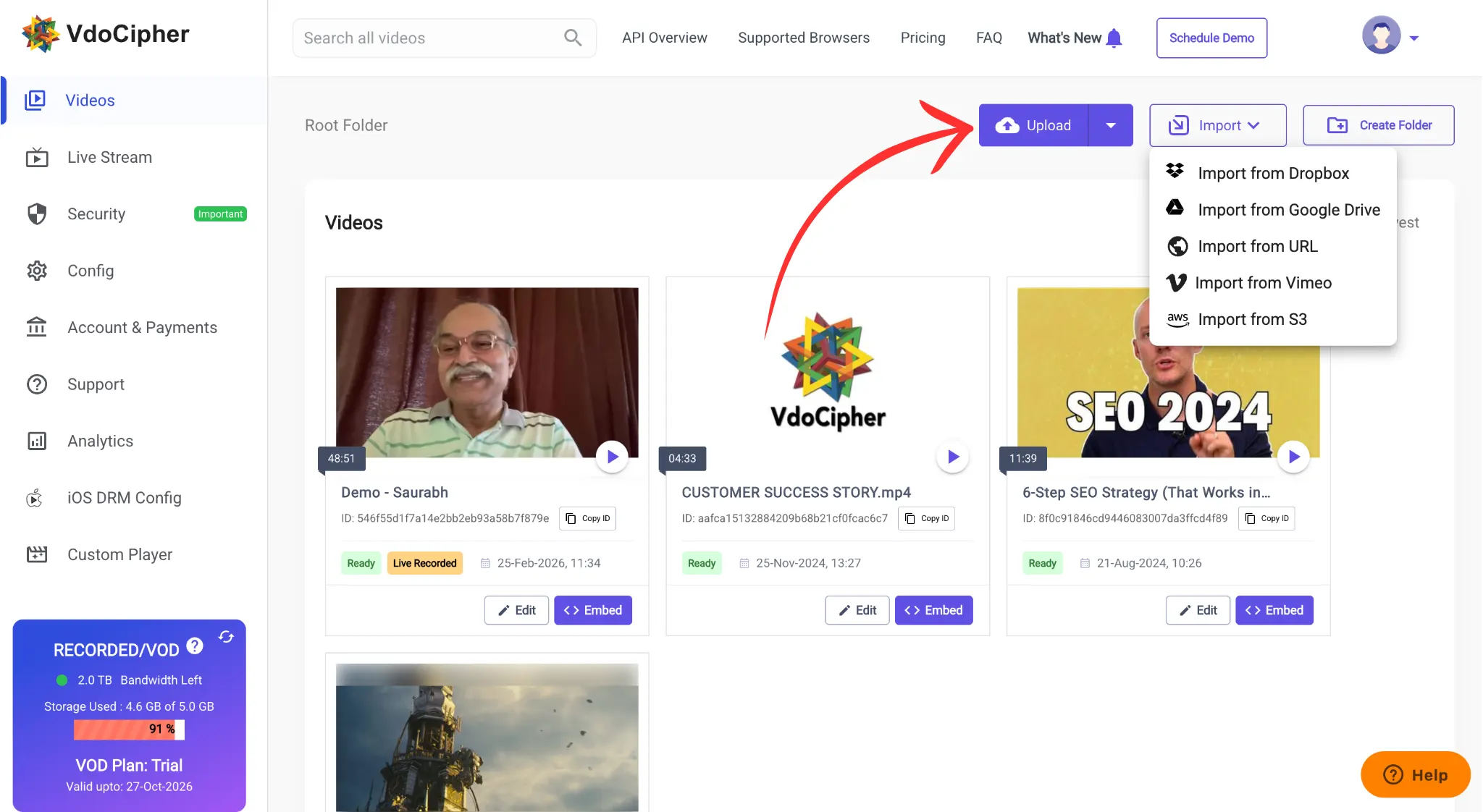
Log into the VdoCipher dashboard and upload the video you want in your Cademi lesson. You can upload from your device or import from Dropbox, Google Drive, or a direct URL. Wait for processing to finish. This usually takes a few minutes depending on file size.
Step 3: Generate the embed code (and whitelist your Cademi domain)
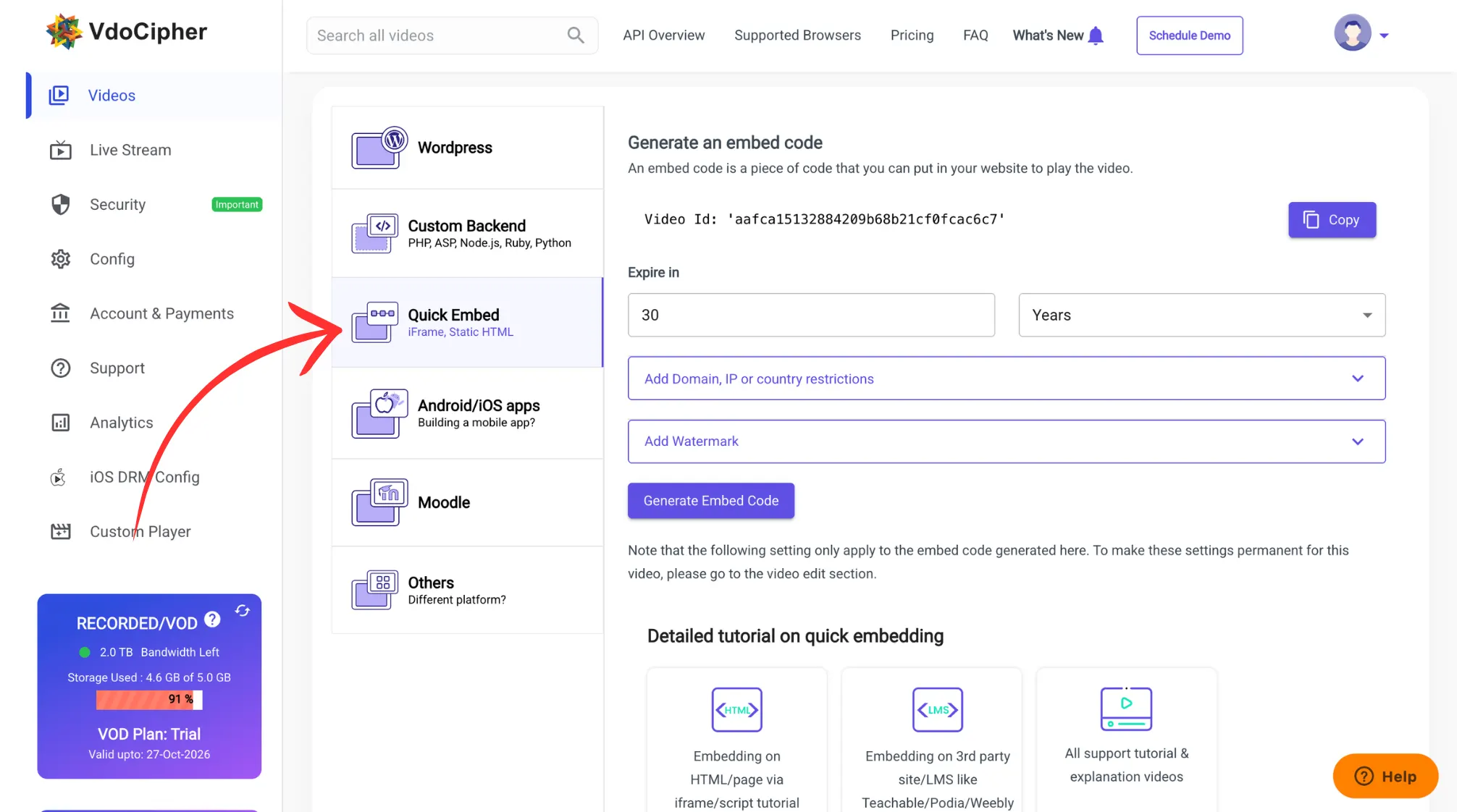
Find the video in your dashboard and click Embed. Choose the Quick Embed option. Here you can set the embed expiry, watermark text, and the domain whitelist.
The domain whitelist is the step most people miss. VdoCipher only plays your video on domains you approve. Add your Cademi members area domain here (and your custom domain if you use one). Skip this and the video will refuse to load inside Cademi later. Then click Generate embed code and copy the iframe.
Step 4: Paste Embed Code in Cademi
Log into your Cademi platform. In the left menu, go to Conteudos > Vitrines and open the product you want to edit.
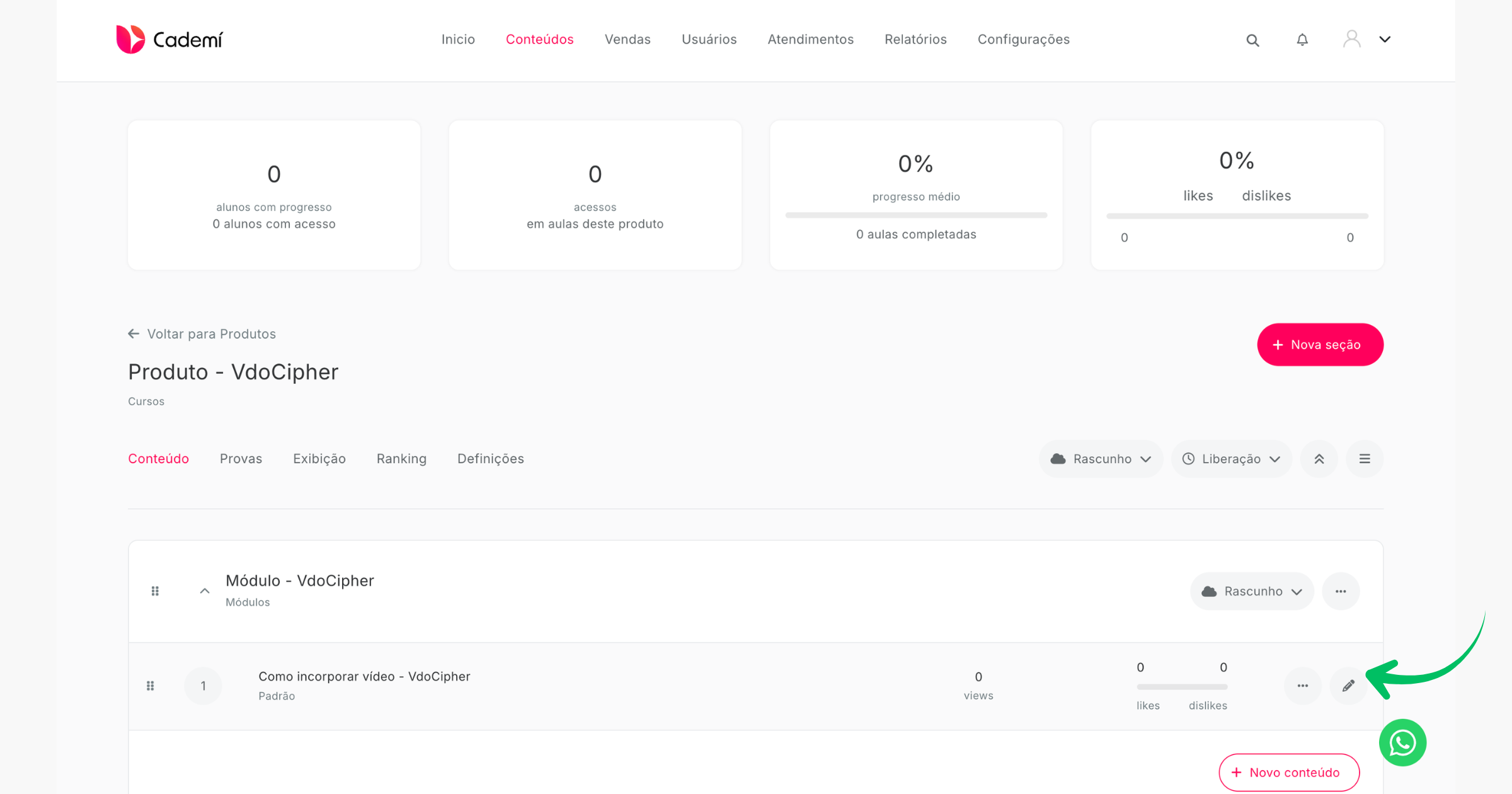
Step 6: Add an “HTML Puro” block and paste the embed code
In the lesson text field, click the + icon and select HTML Puro. Paste the VdoCipher iframe you copied in Step 3 into the field, then save the lesson. Preview and verify
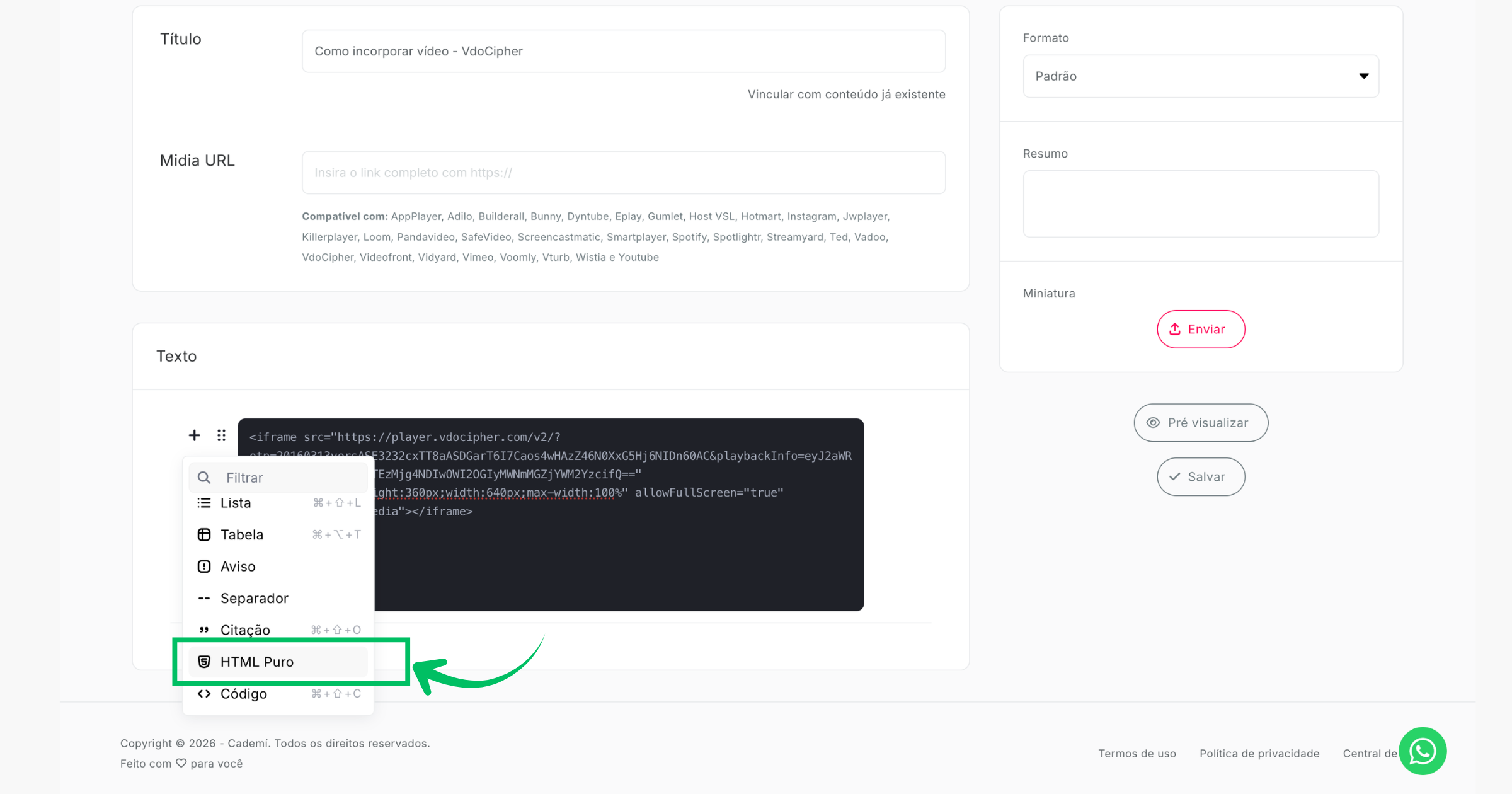
Save the lesson and use the preview to confirm the video plays as a student would see it. Check that the dynamic watermark shows and the player loads with no errors. If you see a domain error, go back to Step 3 and confirm your Cademi domain is on the VdoCipher whitelist.
That is it. Your Cademi course now serves DRM protected video through VdoCipher instead of a downloadable YouTube or Vimeo link.
Start Free Trial ✅
Start your free trial and protect your Cademi course videos from piracy.
VdoCipher provides Hollywood grade DRM, dynamic watermarking, and screen capture blocking, used by 10,000+ platforms globally.
Cademi Video Hosting Options: What You Actually Get
Cademi works with any of these. Here is what each one gives a course creator.
| Feature | YouTube (unlisted) | Vimeo | VdoCipher |
|---|---|---|---|
| DRM encryption | None | None on standard plans | Widevine + FairPlay on every video |
| Download protection | Capturable with free tools | Capturable with free tools | DRM blocks internet downloaders |
| Dynamic watermarking | Not available | Not available | Viewer email, ID, or IP overlay |
| Screen capture block | Not available | Not available | Full block on mobile app, watermark deterrent on desktop |
| Per-viewer piracy tracking | Not available | Not available | Piracy tracker and hacker identification |
| Player and branding | YouTube branding, suggested videos | Clean player | Fully customizable player |
| Pricing model | Free | Flat subscription | Storage + bandwidth |
For an open, free audience, YouTube is fine. For a paid course where the video is the product, the download exposure is the whole risk.
Why VdoCipher is best for Cademi Video Hosting
If you run a course business on Cademi, the video is what people pay for. A leaked course circulating on Telegram or a piracy forum directly kills future sales. VdoCipher exists to solve exactly that.
Google Widevine and Apple FairPlay DRM means no internet based downloader can extract and replay your videos. This is the same encryption standard Netflix and Disney+ use. It is not an optional setting. Every video you upload is encrypted by default.
Dynamic watermarking overlays each viewer’s identifying details (email, phone, IP, or a custom student ID) as a moving element on the frame. If someone screen records and leaks the content, you can trace exactly who did it. That alone deters most casual sharing.
Piracy tracking and blocking goes further. VdoCipher detects DRM breach attempts, password sharing patterns, and suspicious sessions, and can block them automatically. Across 2,000+ websites and apps, VdoCipher blocked over 57,000 unauthorized sessions in a six month period.
Pricing. VdoCipher pricing is based on storage and bandwidth, not your revenue. Whether you sell 10 courses or 10,000, the hosting cost stays stable.
For Cademi creators selling in competitive Brazilian niches, concursos, medical prep, accounting, fitness certifications, where one pirated course undercuts your entire pricing, this level of protection is not a nice to have. It is the difference between scaling revenue and watching it leak.
You can read how the same setup works on other Brazilian platforms in our guide to embedding video in Hotmart, and more on protecting course content in our e-learning video protection guide.
FAQ
Does Cademi host video with DRM natively?
No. Cademi stores your uploaded video, PDF, and audio, but it does not have DRM encryption feature. To get DRM feature – you can use third party video hosting like VdoCipher.
Where exactly do I paste the embed code in Cademi?
Inside the lesson editor, click the + icon in the text field and choose HTML Puro. Paste the VdoCipher iframe into that block and save. Do not use the plain Media URL field for VdoCipher, since VdoCipher gives you an iframe embed, not a single video URL.
Can I test VdoCipher with Cademi for free?
Yes. VdoCipher offers a free trial with full access to DRM, watermarking, and the embed tools, no credit card required. You can upload a test video, embed it in a Cademi lesson, and confirm the whole flow before committing to a plan.
Does the DRM work on mobile for my students?
Yes. VdoCipher plays DRM protected video on Android and iOS browsers and apps. On the VdoCipher mobile experience, screen capture is fully blocked. On desktop, the dynamic watermark acts as the deterrent since browsers do not allow full capture blocking.
Try VdoCipher free for 30 days.
Full DRM, watermarking, and embed tools included. No credit card needed.


Leading Growth at VdoCipher. I love building connections that help businesses grow and protect their revenue. Outside of work, I’m always exploring new technology and startups.
Leave a Reply